
When someone searches your name before an interview, networking conversation, or internship application, your LinkedIn profile may help shape a first impression. LinkedIn is the world's largest professional network, with more than 1.3 billion members worldwide.
A profile that says little more than "Student at [University]" leaves plenty of useful information out. You don't need years of employment to build something stronger. Coursework, projects, volunteering, research, student organizations, and part-time jobs can all show what you know, what you've done, and where you want to go next.
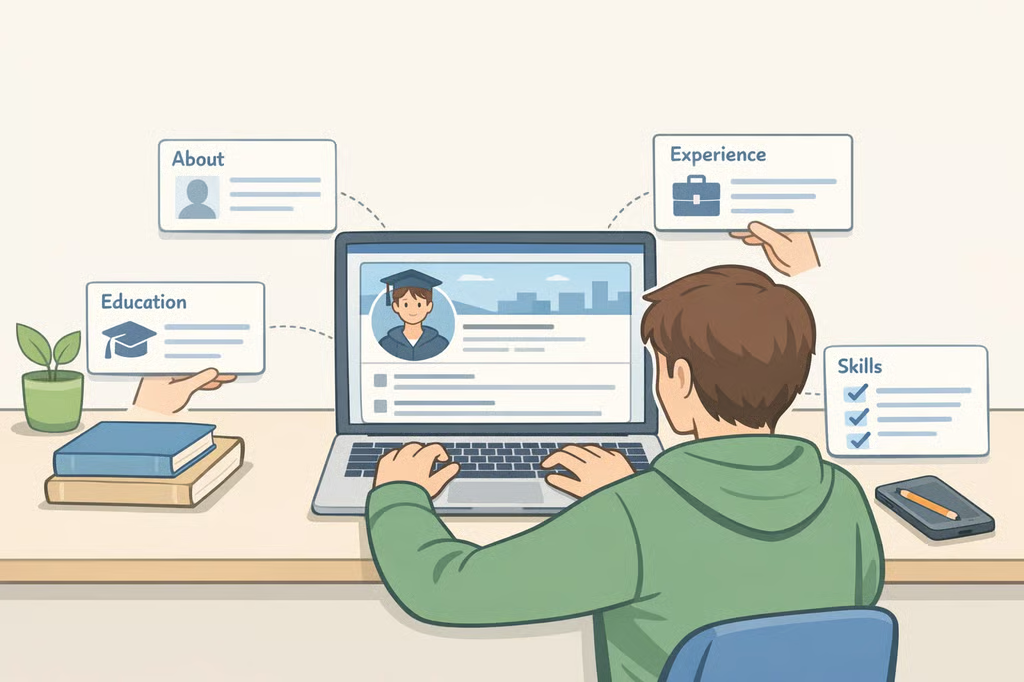
Here's how to build the key sections of a student LinkedIn profile, with examples you can adapt to your own experience.
- Start with a professional photo and clean URL
- LinkedIn headline examples for students
- Write an About section that shows where you're headed
- Make your education work harder
- Put each experience in the right section
- Build a strong profile without job experience
- Choose skills that support your goals
- Turn your profile into connections and opportunities
- Build it now, then keep it current
Start with a professional photo and clean URL
Choose a recent photo in which your face is clear and easy to recognize. According to LinkedIn's profile guidance, members with a profile photo receive up to twice as many profile views as those without one.
LinkedIn accepts JPG or PNG profile photos with a minimum size of 400 by 400 pixels and a maximum file size of 8 MB. If you don't have a suitable photo, check whether your school's career center offers free headshots.
Next, customize your public profile URL. A simple variation of your name is easier to add to a résumé, portfolio, or email signature than a long assigned URL.
LinkedIn headline examples for students
Your headline appears near the top of your profile, so don't spend the space on "Student at [University]" alone. Use it to identify your field, relevant skills or experience, and, when useful, the opportunity you're pursuing.
Examples:
- Mechanical engineering student | CAD and automotive design | Seeking a co-op
- Computer science student | Python, SQL and cybersecurity projects
- Marketing student | Social media strategy, analytics and campus campaigns
- Psychology student | Research methods and behavioral science
If you're actively applying, you can also name your target: "Finance student | Financial analysis and Excel | Seeking a summer 2027 internship." Update the term as your search changes.
No formal job yet? A headline such as "Second-year biology major | Lab volunteer | Interested in public health research" still gives visitors a clear sense of your direction.
Write an About section that shows where you're headed
LinkedIn recommends keeping the About section to one or two paragraphs and using it to explain your goals, motivations, and relevant skills. For students, that usually means covering three things: what you're studying, what you've done so far, and the type of opportunity or field you're exploring.
For example:
"I'm a third-year computer science student focused on cybersecurity and data analytics. Through coursework and a network-security project, I've worked with Python, SQL, and traffic-analysis tools while developing my problem-solving and teamwork skills. I'm seeking a summer 2027 internship where I can apply that experience in cybersecurity or data analysis."
Avoid filling the section with unsupported adjectives such as "hardworking," "passionate," and "motivated." A specific project, responsibility, skill, or result tells readers more.
Make your education work harder
For Education, list your school, degree or major, and expected graduation date. Add relevant coursework, honors, study abroad, or academic projects when they support the career direction established in your headline and About section.
Put each experience in the right section
LinkedIn offers several profile sections for different accomplishments. Use Experience for jobs, internships, and professional roles; Projects for defined class, research, or independent projects; Volunteer Experience for unpaid service; Education for academic context; and Featured for selected work samples you want visitors to notice.
Featured can be particularly useful if you have a portfolio, research poster, published article, presentation, design sample, or project page to show.
Before publishing anything, check what you're allowed to share. Don't put a personal phone number or home address in publicly visible profile text. If a class project, internship, or job involved confidential information, follow your syllabus, employer policy, or supervisor's guidance before posting details.
Build a strong profile without job experience
You don't need a traditional job to demonstrate useful experience. Projects, research, campus jobs, internships, volunteering, and student leadership can all show employers what you've learned and contributed.
For a class project:
Marketing Campaign Project, [Course Name], [University]. Developed a social media campaign proposal for a local nonprofit, including audience research, channel recommendations, and sample content.
For volunteering:
Volunteer Tutor, [Organization Name]. Tutored middle school students in math twice a week for one semester and kept session notes to support consistent lesson planning.
For any entry, start with what you did and add the result when you have one. For example: "Managed social media for a student organization, creating promotional content for campus events and coordinating posts with the leadership team."
Use numerical results only when you can support them. If you don't have a reliable metric, describe the responsibility and outcome without inventing one.
Choose skills that support your goals
Start with skills that match your coursework, projects, and career goals. LinkedIn currently allows up to 100 skills, but there's no reason to fill every available slot. Prioritize skills you can demonstrate elsewhere on your profile.
A computer science student interested in cybersecurity might list Python, SQL, Network Security, Data Analysis, Problem Solving, and Team Collaboration. A marketing student might choose Social Media Marketing, Content Strategy, Google Analytics, Copywriting, Excel, and Presentation Skills.
Turn your profile into connections and opportunities
Follow your school, employers in your field, professional organizations, and alumni whose work relates to your interests.
When contacting someone you don't know, keep the message brief and specific. Mention a genuine point of connection, explain why you're reaching out, and ask one focused question.
For example: "Hi [Name], I'm a [year/major] at [school] interested in [field]. I saw that you work in [area], and I'd love to hear how you got started. What skill would you recommend a student build first?"
In a February 2025 University of Cincinnati interview, then-LinkedIn enterprise account director and UC alumnus Mitchell Phelps recommended that students consider contacting a hiring manager after applying to explain their interest and relevant background. Treat that as one networking tactic, not a substitute for a complete application.
Don't rely on LinkedIn alone. Use it alongside your school's career center, career fairs, employer career pages, and campus recruiting platforms such as Handshake when available.
Build it now, then keep it current
You don't need an internship or a long work history to create a LinkedIn profile worth finding. Start with a clear photo, useful headline, concise About section, and complete Education entry. Then add the strongest project, job, volunteer role, or campus experience you already have.
Review your profile at least once each semester and whenever you add a meaningful skill, project, certification, leadership role, or job. Keep every detail honest and specific. Even early in your career, a profile that clearly shows what you've learned, what you've done, and where you're headed gives people a reason to look beyond the word "student."